
For most single-monitor desks, the Ergotron LX Pro is the strongest all-around choice because it combines broad adjustability, a 4-to-22-pound capacity and a long warranty. The MSI MAG MT201 is a better fit for heavy ultrawides, while the VIVO STAND-V002 and HUANUO HNDS6 are the more practical budget choices for dual-monitor setups.
How We Chose These Monitor Arms
This is a research-based guide built from current manufacturer specifications and recent monitor-arm coverage, not hands-on testing by ProductReviewLab. The picks cover the most common buying decisions: one monitor versus two, lightweight office displays versus heavy ultrawides, premium construction versus lower cost, and frequent adjustment versus mostly fixed positioning.
We prioritized verified weight ranges, VESA compatibility, mounting options, adjustment range, monitor-size guidance and current product relevance. Weight matters especially because an arm can be technically compatible with a large screen yet still sag if the display is too heavy or too deep for its tension mechanism.
- Check the monitor without its original stand when comparing weight.
- Confirm that the monitor has 75-by-75mm or 100-by-100mm VESA mounting holes, unless an adapter is available.
- Measure desk thickness and check whether a clamp, grommet or both mounting methods will work.
- Leave enough clearance behind the desk for the arm to extend and for cables to bend without pulling.
Ergotron LX Pro: Best Overall Single-Monitor Arm
The Ergotron LX Pro is the safest recommendation for a typical home-office monitor. It supports displays from 4 to 22 pounds and is intended for screens up to roughly 34 inches, with 13 inches of lift, 360-degree arm movement and portrait-or-landscape rotation. Its VESA support covers the common 75-by-75mm and 100-by-100mm patterns.
The main reason to choose it is balance. It offers more refinement and long-term support than most low-cost arms without moving into the specialized pricing of premium heavy-duty models. The arm is particularly appealing if you expect to change your screen position regularly or use a sit-stand desk.
The limitation is capacity. It is not the right choice for a very heavy 38-, forty-nine- or 49-inch ultrawide, especially if the monitor is deep or has a large rear housing. The newer LX Pro also should not be assumed to be interchangeable with older LX components, so check the exact model before buying accessories.
- Best For: Most single-monitor home offices.
- Why It Stands Out: Broad adjustment range, strong brand support and a useful 4-to-22-pound capacity.
- Watch Out For: Heavy ultrawides and monitors outside the supported weight range.
MSI MAG MT201: Best Heavy-Monitor Value
The MSI MAG MT201 is a compelling option when a large or heavy screen makes ordinary monitor arms risky. MSI rates it for monitors from 17 to 49 inches and up to 44 pounds per screen. It supports 75-by-75mm and 100-by-100mm VESA patterns, includes clamp and grommet installation, and provides full-motion adjustment with a spring-assisted mechanism.
Its biggest advantage is flexibility for large gaming monitors and ultrawides. The 44-pound rating gives it substantially more headroom than mainstream office arms, and the long horizontal and vertical extension can help position a large screen without leaving its stand directly in the middle of the desk.
The trade-off is that heavy-duty capacity does not automatically mean a small or elegant installation. The arm is substantial, and a thin, weak or poorly reinforced desk may still flex under the load. Measure the desk and consider a reinforcement plate if the mounting area feels flimsy.
- Best For: Large curved monitors, gaming displays and heavy ultrawides.
- Why It Stands Out: Up to 44 pounds and support for screens up to 49 inches.
- Watch Out For: Desk strength, rear clearance and the extra bulk of a heavy-duty mount.
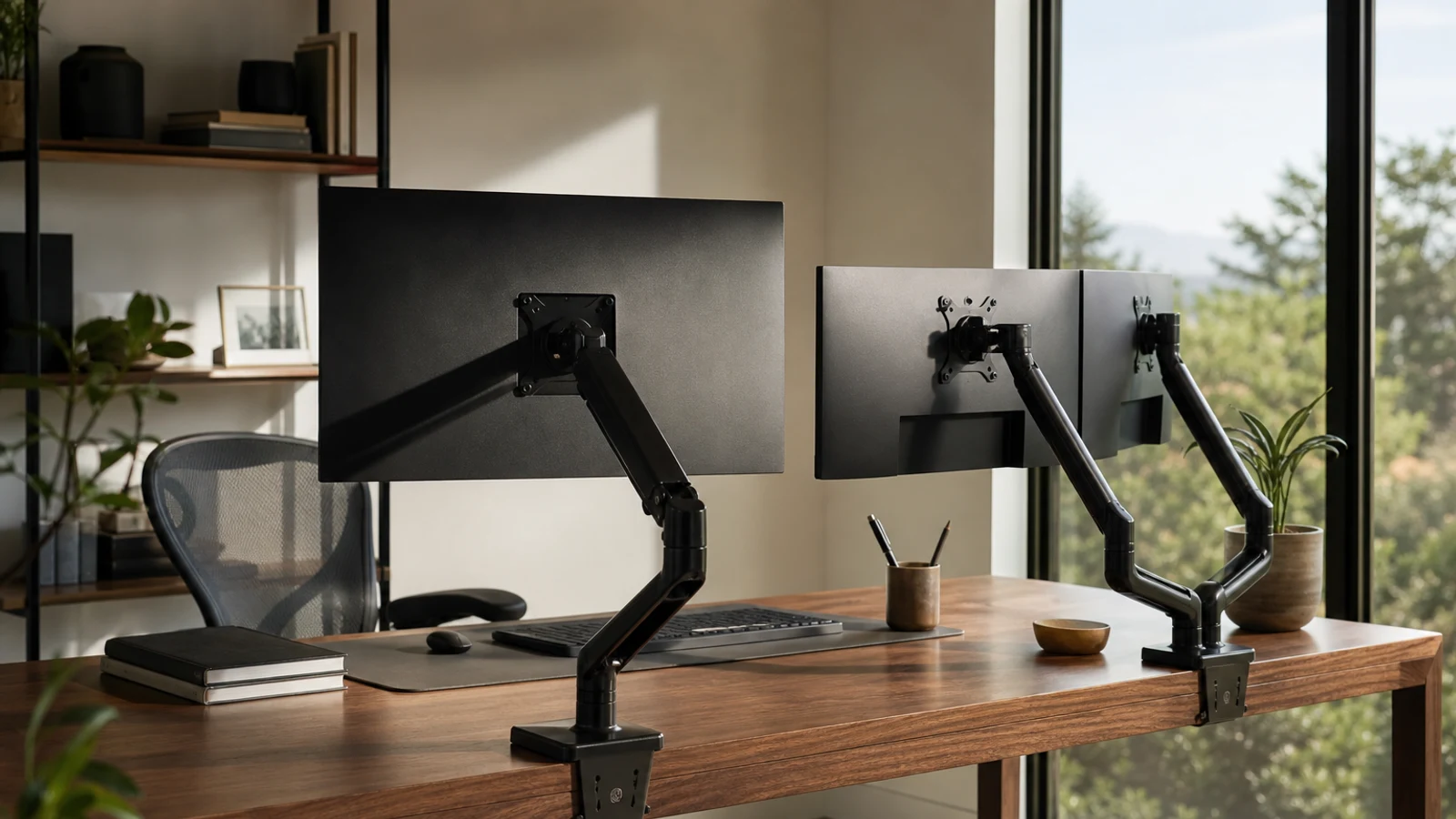
Compare options as you read
Explore options related to this guide. Check the exact product, seller, specifications and current price on Amazon. Image is illustrative.
As an Amazon Associate I earn from qualifying purchases.
Humanscale M2 Pro: Best Premium Ergonomic Arm
The Humanscale M2 Pro is the current successor to the older M2.1 line and is designed for lighter monitors up to 22 pounds. Its weight-compensating spring system and Smart Stop functionality are aimed at making screen repositioning predictable while limiting unwanted rotation. The current line supports conventional desks and sit-stand workstations.
This is the premium pick for shoppers who care about a clean appearance, refined adjustment and a more furniture-like design than a generic gas-spring arm usually provides. It also makes sense for a dual-monitor setup when you want a coordinated system rather than two unrelated budget arms.
The drawback is cost and configuration complexity. Humanscale sells the arm with different base, color and mounting options, so the final setup can vary substantially. It is also not the right choice for a monitor that exceeds its capacity; shoppers with heavy ultrawides should move to the M8 Pro or Ergotron HX instead.
- Best For: Premium home offices and frequent screen repositioning.
- Why It Stands Out: Refined counterbalance design and a current product line with multiple configurations.
- Watch Out For: Higher cost and the need to select the correct base and capacity.
Herman Miller Flo: Best For Lightweight Displays And Clean Design
The Herman Miller Flo is a polished single-monitor arm for displays weighing approximately 4.4 to 15.4 pounds. It supports VESA mounting, portrait-to-landscape rotation and screens up to about 34 inches, depending on the specific display dimensions and weight. Its long adjustment range and integrated cable management suit minimalist desks where the arm itself should not dominate the setup.
Flo is most attractive when the monitor is relatively light and you want smooth, simple positioning rather than maximum load capacity. The design is also a good fit for a carefully planned office where matching materials and a clean visual profile matter as much as raw specifications.
Its limitation is straightforward: the supported weight range is narrower than the Ergotron LX Pro’s and far below heavy-duty arms. A large gaming monitor, thick curved ultrawide or display with a heavy rear enclosure may fall outside its practical range.
- Best For: Lightweight office monitors and design-conscious workspaces.
- Why It Stands Out: Clean appearance, broad reach and a 12-year warranty listed by the manufacturer.
- Watch Out For: Lower weight capacity than the LX Pro, HX or heavy-duty alternatives.
VIVO STAND-V002: Best Budget Dual-Monitor Arm
The VIVO STAND-V002 is a straightforward dual-monitor mount for shoppers who want to clear two stands from the desk without paying premium-arm prices. The base model supports screens from 13 to 30 inches and up to 22 pounds per monitor, with 75-by-75mm and 100-by-100mm VESA compatibility. It can be installed with a C-clamp or grommet and allows tilt, swivel, rotation and height adjustment along the center pole.
Its fixed-pole design is useful for a conventional side-by-side workstation where both displays stay in roughly the same area. VIVO also sells related versions with different arm spans and screen-size guidance, so shoppers should verify the exact suffix before ordering.
The main compromise is refinement. A budget dual arm may require more careful leveling and tightening than a premium independent-arm system, and the center-pole layout can be less flexible when two large screens need to move independently. It is best for standard office monitors rather than unusually deep or heavy displays.
- Best For: Affordable side-by-side dual-monitor setups.
- Why It Stands Out: Two-screen support, clamp and grommet mounting, and 22 pounds per monitor.
- Watch Out For: Less independent adjustment and multiple V002 variants with different size limits.
HUANUO HNDS6: Best Budget Gas-Spring Dual Arm
The HUANUO HNDS6 is a better fit than a basic pole mount if you want two screens that can be moved more freely. It supports 13-to-32-inch displays weighing 4.4 to 19.8 pounds per arm, includes clamp and grommet mounting, and allows tilt, swivel and rotation. The arms use a gas-spring design and can raise the screens well above the desk surface.
That combination makes it appealing for renters, hybrid workers and budget-conscious shoppers who need more positioning freedom than a basic dual stand provides. The aluminum-alloy arms and included mounting options also make it adaptable to common home-office desks.
The limitation is that the advertised capacity is per arm, not a guarantee that every pair of large monitors will feel equally stable in every configuration. Two heavy screens extended far forward create more leverage on the desk and mount. Keep the screens close to the post when possible and verify the desk can handle the load.
- Best For: Budget dual-monitor users who want gas-spring adjustment.
- Why It Stands Out: Flexible movement, support for screens up to 32 inches and two mounting methods.
- Watch Out For: Stability depends heavily on desk strength, screen weight and how far the arms are extended.
Ergotron HX: Best Heavy-Duty Premium Arm
The Ergotron HX is the specialist choice for heavy curved monitors and large ultrawides. Ergotron lists support for displays weighing approximately 20 to 42 pounds, with models intended for screens up to about 49 inches. The HX is designed for displays that exceed the practical limits of mainstream arms, including some deep curved panels.
Choose it when the monitor itself is expensive enough that sagging, drifting or an undersized arm would be unacceptable. It is also a sensible option for people who regularly move a large display between sitting and standing positions and want a dedicated heavy-duty mechanism rather than a budget arm operating near its limit.
The obvious drawback is that it is overkill for a normal 24-, 27- or 32-inch office monitor. It costs more, occupies more visual and physical space, and requires careful attention to monitor depth, desk strength and the exact HX configuration. If your screen weighs less than 20 pounds, the LX Pro or M2 Pro may be more appropriate.
- Best For: Heavy ultrawides, large curved displays and premium gaming monitors.
- Why It Stands Out: Dedicated 20-to-42-pound support and compatibility with very large screens.
- Watch Out For: Higher cost and unnecessary bulk for ordinary monitors.
What To Look For Before Buying
The most important specification is the monitor’s actual weight without its factory stand. Arms usually have a minimum and maximum supported load, and a display that is too light can rise while one that is too heavy can sag. Curved screens may also create more leverage because their housings are deeper, so staying below the maximum rating is wise.
Next, check the desk. Clamp mounts need a solid edge and enough clearance behind it. Grommet mounts can be more secure on some desks but require a suitable hole or a willingness to drill one. A standing desk may need extra attention because the desktop and frame can flex as the desk moves.
Finally, decide how much movement you really need. A fixed-pole dual stand can be perfectly practical if the monitors rarely move. A gas-spring or constant-force arm is more useful when you switch between sitting and standing, rotate a monitor into portrait mode or pull the display forward for detailed work. Cable management matters too: a monitor arm can make a desk look cleaner, but only if the cables have enough slack to move with it.
- For a normal single monitor: Start with the Ergotron LX Pro.
- For a heavy ultrawide: Compare the MSI MAG MT201 and Ergotron HX.
- For two affordable monitors: Compare the VIVO STAND-V002 and HUANUO HNDS6.
- For premium design and adjustment: Consider the Humanscale M2 Pro or Herman Miller Flo.
Questions & Answers
Practical follow-up questions readers often ask before acting or buying.
Are monitor arms worth buying?
They can be worthwhile if you want to reclaim desk space, adjust screen height more precisely or move between sitting and standing positions. They are less useful if your monitor already sits at a comfortable height and rarely needs repositioning.
How much weight should a monitor arm support?
Choose an arm whose supported range comfortably includes the monitor’s actual weight. Avoid buying exactly at the maximum, especially for deep curved displays or setups where the arm will be extended far from the desk post.
Can any monitor use a monitor arm?
Most arms expect a VESA mounting pattern, commonly 75 by 75mm or 100 by 100mm. If the monitor has no VESA holes, you may need a model-specific adapter, and the adapter’s added weight must be included in the arm’s capacity calculation.
Is a clamp or grommet mount better?
Neither is always better. A clamp is simpler and avoids modifying the desk, while a grommet can provide a more centered or secure installation when the desk has a suitable opening. The desk’s construction and thickness matter more than the label alone.
What should I do if my monitor arm sags?
First confirm the monitor weight, depth and VESA installation, then adjust the arm’s tension according to the manual. If it still sags, the display may exceed the arm’s practical capacity, the desk may be flexing, or the mount may be damaged. Do not keep using a visibly unstable setup over valuable equipment.
Sources & Further Reading
Best monitor arms 2026: Expert picks for single- and dual-monitors setups | PCWorld
The 4 Best Monitor Arms to Clear Up Your Desk Space (2026) | WIRED
BenQ Ergo Monitor Arm – 44lbs Heavy-Duty, Desk Protection | BenQ US
MAG MT201 | Monitor Mount | MSI
Heavy Duty Monitor Arm | Ergotron HX Desk Mounted Monitor Stand
Find options for your needs
Explore options related to this guide. Check the exact product, seller, specifications and current price on Amazon. Image is illustrative.
As an Amazon Associate I earn from qualifying purchases.