
For most right-handed users, the Logitech MX Master 4 is the most versatile ergonomic mouse because it combines a comfortable sculpted shape with excellent scrolling and customization. Choose the Logitech Lift for a true vertical design for small-to-medium hands, the Razer Pro Click V2 Vertical Edition for a more performance-oriented vertical mouse, or the Logitech MX Ergo S if you want to reduce desk movement with a thumb trackball.
How We Chose
This research-based guide draws on current manufacturer specifications and 2026 reviews, not claimed hands-on testing by ProductReviewLab. The shortlist covers sculpted conventional mice, vertical mice and a thumb-operated trackball because each approach can solve different comfort problems.
We prioritized hand fit, grip angle, thumb and palm support, button placement, scrolling, compatibility, connection options and required desk movement. No mouse guarantees that it will prevent pain or repetitive strain, and a poorly adjusted desk setup can undermine any design.
- Best overall: Logitech MX Master 4
- Best vertical mouse for smaller hands: Logitech Lift
- Best premium vertical mouse: Razer Pro Click V2 Vertical Edition
- Best trackball: Logitech MX Ergo S
- Best value productivity alternative: Keychron M6 8K
- Best large-hand vertical option: Logitech MX Vertical
- Best budget vertical mouse: Anker 2.4G Wireless Vertical Ergonomic Mouse
1. Logitech MX Master 4: Best Overall For Productivity
The Logitech MX Master 4 is the strongest all-around choice for right-handed users who want ergonomic support without relearning how to use a mouse. Its broad sculpted body, thumb rest, customizable controls and dual-scroll-wheel layout suit spreadsheets, documents, design software and frequent horizontal scrolling.
It is not a true vertical mouse, and its substantial weight may feel tiring for users who prefer fast, sweeping movements. Still, its familiar shape and productivity controls make it easier to adopt than a vertical design for many people.
Choose it for the best blend of comfort, scrolling and multi-device productivity. Skip it if minimizing forearm rotation, using a left-handed model or having a lightweight gaming-style mouse is your priority.
- Best for: Office productivity, spreadsheets, editing and multi-device desks
- Why it stands out: Comfortable conventional shape, thumb support and strong scrolling controls
- Main limitation: Right-handed, relatively heavy and not fully vertical
2. Logitech Lift: Best Vertical Mouse For Small-To-Medium Hands
The Logitech Lift is an approachable vertical mouse for people who find conventional designs cramped. Its handshake-style orientation places the hand more upright, while its compact body suits small-to-medium hands. A left-handed version is also available.
That compactness can work against large-handed users, who may find the palm unsupported or the thumb and pinky positions crowded. The Lift emphasizes quiet everyday productivity rather than high-speed pointer performance or extensive controls.
Choose it for a gentle transition into vertical mousing if you have smaller or medium-sized hands. Skip it if you need more programmable buttons or regularly switch between office work and fast-paced gaming.
- Best for: Small-to-medium hands and first-time vertical-mouse users
- Why it stands out: Approachable 57-degree design and left-handed availability
- Main limitation: Can feel undersized for large hands and offers fewer controls
3. Razer Pro Click V2 Vertical Edition: Best Premium Vertical Mouse
The Razer Pro Click V2 Vertical Edition suits users who want a vertical grip without giving up modern sensor performance or programmable controls. Its upright shape is more pronounced than the Lift, and its productivity features also appeal to people who move between work and gaming.
The additional performance brings more complexity. Razer’s software may be excessive for basic pointer control, and the vertical shape requires adjustment for precise clicking and dragging. Fit also depends heavily on hand size and preferred palm support.
Choose it for a premium vertical mouse with performance headroom and customization. Skip it if you want simple, silent operation or an inexpensive way to test vertical mousing.
- Best for: Work-and-gaming setups that want a vertical grip
- Why it stands out: Performance-oriented sensor, programmable controls and multi-device flexibility
- Main limitation: More expensive and complex than a basic office vertical mouse
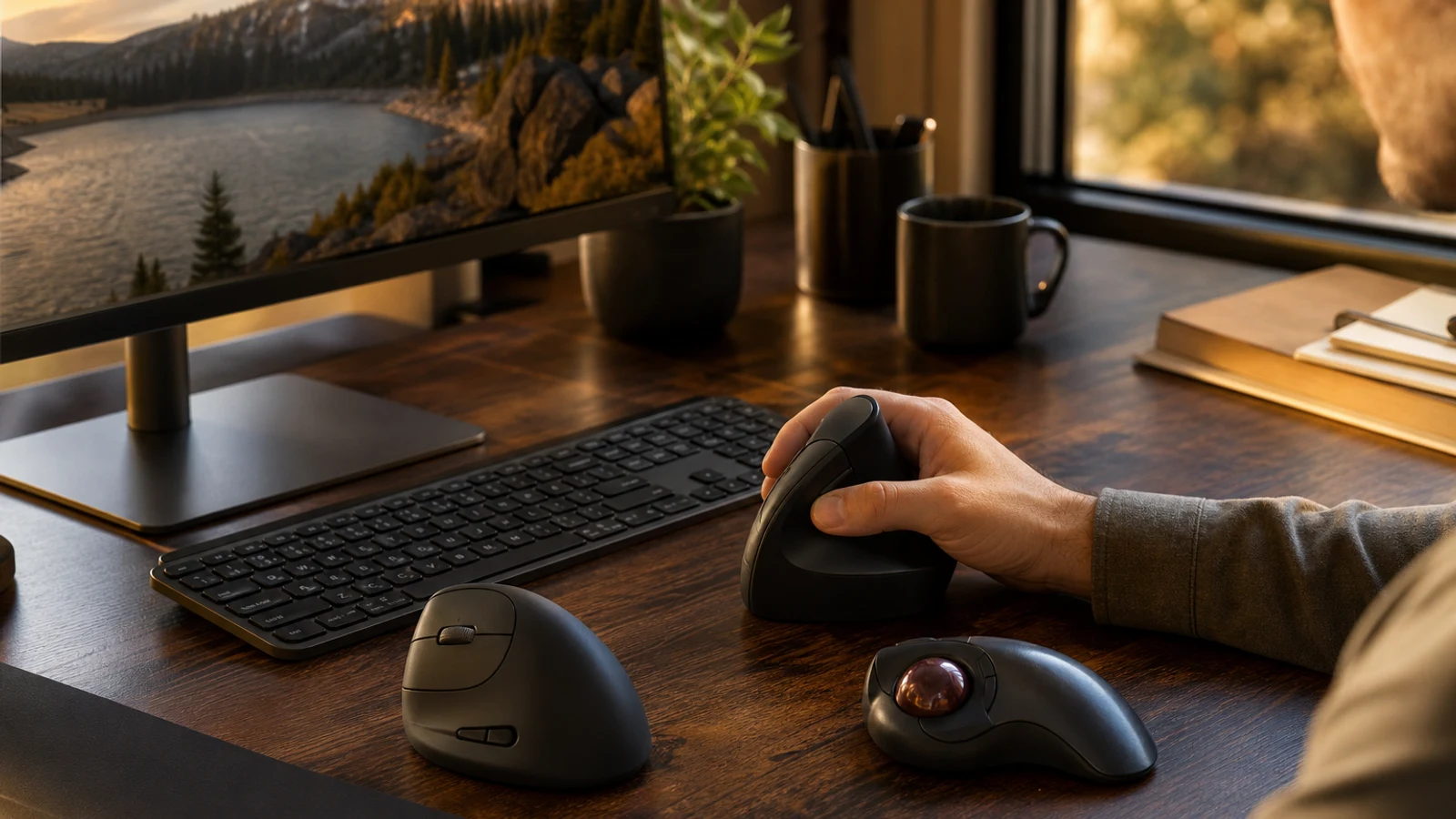
Compare options as you read
Explore options related to this guide. Check the exact product, seller, specifications and current price on Amazon. Image is illustrative.
As an Amazon Associate I earn from qualifying purchases.
4. Logitech MX Ergo S: Best Trackball For Reducing Desk Movement
The Logitech MX Ergo S controls the pointer with a thumb-operated trackball instead of moving across the desk. That suits crowded desks, small workspaces and users who find repeated forearm movement irritating. Adjustable tilt and customizable controls make it a serious productivity tool.
Trackballs require practice, particularly for precise selection, drag-and-drop work and frequent cursor repositioning. The thumb performs more of the pointing work, so this design is not automatically better for every hand or discomfort. Its fixed position helps only if the thumb placement feels natural.
Choose it to keep your forearm relatively still or conserve desk space. Skip it if you need fast, familiar movement or highly precise click-and-drag control.
- Best for: Small desks, stationary pointing and less arm movement
- Why it stands out: Thumb trackball, adjustable tilt and productivity customization
- Main limitation: Learning curve and thumb-heavy control
5. Keychron M6 8K: Best Value Alternative To Premium Productivity Mice
The Keychron M6 8K combines a right-handed sculpt, thumb support, multiple controls, dual-scroll functionality and broad connection options. Its lighter body and high-performance sensor appeal to shoppers who want productivity features for creative work or occasional gaming.
It is not vertical, and its control layout may take time to configure. Buyers should distinguish the 8K version from lower-polling variants; most office users do not need extremely high polling rates, so the cheaper version may make more sense if available.
Choose it for many productivity features in a lighter design. Skip it if you need a vertical grip, left-handed option or the simplest software experience.
- Best for: Feature-conscious shoppers, creative work and mixed productivity
- Why it stands out: Lightweight shape, dual scrolling and high-performance hardware
- Main limitation: Right-handed and not truly vertical
6. Logitech MX Vertical: Best Large-Hand Traditional Vertical Mouse
The Logitech MX Vertical remains useful for users who want an upright mouse with a larger body than the Lift. Its 57-degree handshake angle, thumb rest and familiar Logitech productivity approach suit right-handed users whose hands feel cramped on smaller vertical mice.
Its feature set is older than newer options, and the larger body can be awkward for smaller hands or users who prefer low weight. It also lacks the trackball approach of the MX Ergo S and the performance focus of Razer’s vertical model.
Choose it for larger hands and a substantial, established vertical design. Skip it if you need left-handed support, modern gaming-oriented performance or a compact mouse.
- Best for: Larger right hands and a familiar Logitech vertical design
- Why it stands out: Tall body, handshake angle and substantial palm support
- Main limitation: Older feature set, right-handed only and potentially too large
7. Anker 2.4G Wireless Vertical Ergonomic Mouse: Best Budget Trial
The Anker 2.4G Wireless Vertical Ergonomic Mouse is a practical way to test vertical mousing without immediately choosing a premium model. Its upright shape and thumb rest target the neutral-feeling handshake position many shoppers seek for ordinary computer work.
Its lower cost means fewer refinements, customization options and connection features. It suits browsing, documents and office tasks better than demanding creative work or gaming. Confirm the exact version and connection method before buying.
Choose it for an inexpensive experiment or backup mouse. Skip it if you need multi-device switching, rechargeable convenience, premium scrolling or extensive button programming.
- Best for: Budget shoppers and first-time vertical-mouse experiments
- Why it stands out: Simple upright design at a lower entry cost
- Main limitation: Basic controls and fewer premium features
How To Choose The Right Ergonomic Mouse
Start with hand size, not brand. A mouse that is too small can leave the palm unsupported, while one that is too large can stretch the fingers. Compare your measurement with manufacturer guidance, but also consider the thumb rest and amount of palm contact.
Then choose between vertical, conventional ergonomic and trackball designs. Vertical mice change hand and forearm orientation but can make precise clicking unfamiliar. Conventional mice are easier to adopt and often provide stronger scrolling and shortcut controls. Trackballs reduce desk movement but shift pointing to the thumb or fingers.
Match the mouse to your workflow. Spreadsheet users may value scrolling more than an extreme grip angle, while small desks may favor the MX Ergo S. Users switching between a laptop and desktop should prioritize device switching. Check software support and receiver requirements for your computer.
Ergonomics is also a setup issue. Keep the mouse close enough for your elbow to stay near your side, avoid gripping tightly and take regular breaks. Persistent numbness, weakness, swelling or pain warrants advice from a qualified clinician or occupational therapist.
- Pick conventional ergonomic for the easiest transition: MX Master 4 or Keychron M6 8K
- Pick vertical if forearm rotation is your main concern: Lift, Pro Click V2 Vertical or MX Vertical
- Pick a trackball if desk movement is the problem: MX Ergo S
- Check hand size, handedness, software compatibility and connection type
Which Ergonomic Mouse Should You Buy?
For the broadest range of work, the Logitech MX Master 4 is the safest recommendation for right-handed users comfortable with a heavier mouse. The Logitech Lift is the better starting point for small-to-medium hands seeking a true vertical design, while the Razer Pro Click V2 Vertical Edition suits users wanting vertical ergonomics with more performance and customization.
The MX Ergo S changes pointer control rather than simply changing the shell shape. Keychron’s M6 8K offers a lighter feature-rich alternative, the MX Vertical suits larger hands, and Anker’s model is a reasonable low-cost test.
- Best overall: Logitech MX Master 4
- Best for small-to-medium hands: Logitech Lift
- Best premium vertical: Razer Pro Click V2 Vertical Edition
- Best trackball: Logitech MX Ergo S
- Best value productivity option: Keychron M6 8K
Questions & Answers
Practical follow-up questions readers often ask before acting or buying.
Are vertical mice actually better for long computer sessions?
A vertical mouse can place the hand in a more upright handshake position, which some users find more comfortable. It is not automatically better for everyone, and fit, grip pressure, desk height, breaks and overall posture still matter.
What is the best ergonomic mouse for wrist pain?
There is no single best mouse for wrist pain. A vertical mouse may suit users who want less forearm rotation, while a trackball may help users who want less desk movement. Persistent pain, numbness or weakness should be assessed by a qualified medical professional rather than solved through shopping alone.
Is the Logitech MX Master 4 a truly ergonomic mouse?
It is an ergonomic, sculpted conventional mouse rather than a vertical mouse. Its palm shape, thumb rest and scrolling controls can improve comfort for many right-handed users, but it does not provide the same upright grip as the Logitech Lift or MX Vertical.
Are trackball mice difficult to learn?
Most users need an adjustment period because pointer movement comes from the thumb or fingers instead of moving the whole mouse. Trackballs can be especially useful on small desks, but they may feel less natural for precise dragging until you build muscle memory.
What should left-handed users look for?
Left-handed shoppers should confirm the exact model before buying because many ergonomic mice are right-handed only. The Logitech Lift has a left-handed version, while conventional ambidextrous mice may be a better alternative if you need broad compatibility.
Sources & Further Reading
Biomechanics and performance when using a standard and a vertical computer mouse.
The Best Ergonomic Mouse of 2026: Mice Reviews - RTINGS.com
Logitech MX Vertical Ergonomic Wireless Mouse
Razer Pro Click V2 Ergonomic Mice Line | Razer United States
MX Ergo S - Wireless Trackball Mouse | Logitech
Pro Fit™ Ergo Vertical Wireless Mouse-Gray | Computer Mice | Laptop & Wireless Mice | Kensington
ELECOM DEFT PRO Finger Trackball, Wireless & Bluetooth – ELECOM USA INC
Find options for your needs
Explore options related to this guide. Check the exact product, seller, specifications and current price on Amazon. Image is illustrative.
As an Amazon Associate I earn from qualifying purchases.