
For most people, the Logitech MX Keys S is the best wireless keyboard for work because it combines quiet low-profile keys, backlighting, multi-device switching and a full-size layout. The Logitech Wave Keys is better if wrist comfort is your priority, while the Keychron K2 HE is the strongest pick for shoppers who want a wireless mechanical keyboard with advanced customization.
The Best Wireless Keyboards At A Glance
A good wireless keyboard should make everyday typing easier without adding hassles. The key choices are key feel, layout, connection method and size. Bluetooth suits laptops, tablets and phones, while a 2.4GHz receiver can provide a more direct desktop or gaming connection. Some keyboards offer both, plus wired USB use.
These picks cover distinct needs: the MX Keys S is the balanced office choice, the Wave Keys emphasizes comfort, and the Pebble Keys 2 K380s saves space. Keychron’s B6 Pro and K2 HE cover slim and mechanical designs, while Logitech’s Keys-To-Go 2 prioritizes portability and the POP Icon Keys adds visual personality.
- Best overall: Logitech MX Keys S
- Best for ergonomic comfort: Logitech Wave Keys
- Best compact value: Logitech Pebble Keys 2 K380s
- Best full-size slim keyboard: Keychron B6 Pro
- Best wireless mechanical keyboard: Keychron K2 HE
- Best for travel: Logitech Keys-To-Go 2
- Best for a colorful everyday setup: Logitech POP Icon Keys
Logitech MX Keys S: Best Wireless Keyboard For Most People
The Logitech MX Keys S is the safest choice for a typical home office. Its low-profile scissor-style keys feel closer to a premium laptop keyboard than a traditional mechanical board, and its full-size layout includes a number pad for spreadsheets, finance work and data entry.
It switches between multiple devices, supports backlighting and offers customization through Logitech’s Options+ software. The main limitation is that it is neither compact nor enthusiast-oriented. Shoppers seeking taller mechanical switches, hot-swappable parts or extensive hardware customization should look elsewhere. Frequent backlight use also means more charging than with a basic non-illuminated keyboard.
Best for: Home offices, hybrid work, multi-device setups and quiet typing. Skip it if: You want mechanical switches, a split ergonomic design or the smallest possible keyboard.
- Quiet, laptop-like low-profile typing
- Full-size layout with number pad
- Multi-device switching and backlighting
- Software customization through Logitech Options+
- Not ideal for mechanical-keyboard enthusiasts
Logitech Wave Keys: Best For Ergonomic Comfort Without A Split Keyboard
The Logitech Wave Keys is designed for people who want a more comfortable hand position without moving to a fully separated split keyboard. Its curved wave-shaped layout and integrated cushioned palm rest alter the typing area while keeping the general experience familiar.
It is a practical starting point for home-office workers who notice wrist fatigue or dislike a straight keyboard. The number pad and wireless connections keep it suitable for regular office work. However, the wave shape requires adjustment for some users and takes more space than compact boards. It may improve comfort, but persistent discomfort also calls for reviewing desk height, mouse position and professional ergonomic advice.
Best for: Long work sessions and shoppers wanting a gentler ergonomic shape. Skip it if: You prefer a compact, minimalist or mechanically customizable keyboard.
- Integrated padded palm rest
- Familiar layout with a wave-shaped keyframe
- Full-size design with number pad
- Less disruptive than a fully split keyboard
- Requires adjustment for some users
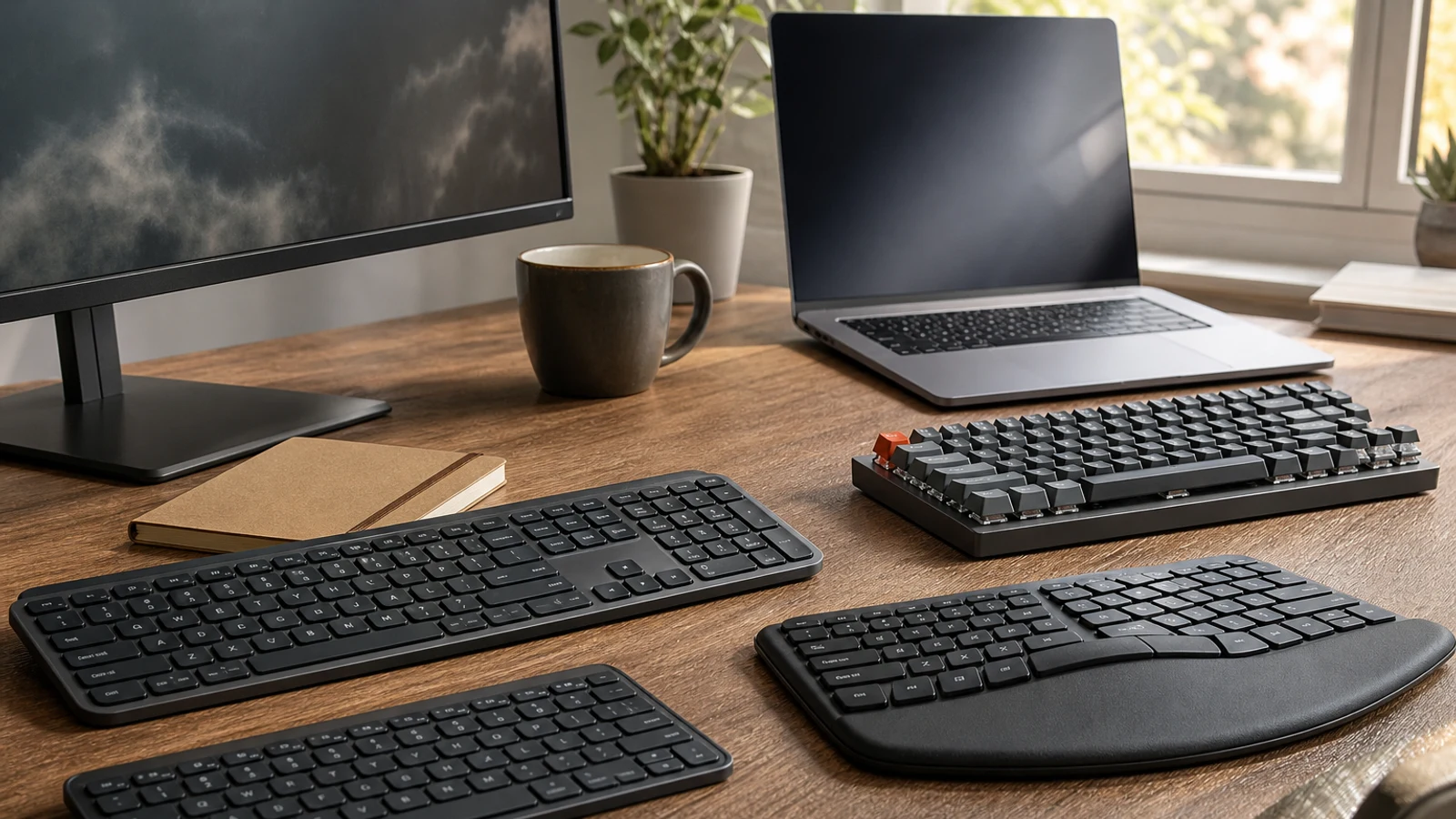
Compare options as you read
Explore options related to this guide. Check the exact product, seller, specifications and current price on Amazon. Image is illustrative.
As an Amazon Associate I earn from qualifying purchases.
Logitech Pebble Keys 2 K380s: Best Compact Value Pick
The Pebble Keys 2 K380s suits smaller desks, tablets and casual computing. Its compact layout saves space, travels easily and pairs with multiple devices, including laptops, phones and tablets.
Its low-profile, rounded keycaps provide a quieter, lighter feel than most mechanical keyboards, and its Bluetooth-focused design is simple to use. The compromises are predictable: there is no number pad or backlighting, and the smaller frame may feel cramped for all-day typing. It is a practical space-saving keyboard rather than a luxury workstation upgrade.
Best for: Small desks, students, tablets and light everyday use. Skip it if: You need a number pad, backlighting or a substantial full-size board.
- Compact footprint for small desks and bags
- Multi-device Bluetooth pairing
- Simple battery-powered design
- Quiet, low-profile typing feel
- No number pad or backlighting
Keychron B6 Pro: Best Full-Size Slim Keyboard With Long Battery Life
The Keychron B6 Pro is for shoppers who want a thin, full-size wireless keyboard without relying primarily on Logitech’s software ecosystem. It keeps the number pad and familiar desktop layout while using a lightweight design that is easy to move between workstations.
Keychron lists up to 1,200 hours of battery endurance. Usage and lighting settings affect that figure, but it reflects the B6 Pro’s low-maintenance focus. It also supports multiple connection modes and major desktop operating systems.
The flatter keycaps may not feel as sculpted as those on the MX Keys S, and the design is less ergonomic. It suits shoppers prioritizing long battery intervals and a conventional layout over premium typing feel or mechanical switches.
Best for: Full-size typing, long battery intervals and budget-conscious home offices. Skip it if: You want sculpted keycaps, strong backlighting or mechanical switches.
- Full-size layout with number pad
- Very long claimed battery life
- Slim and lightweight construction
- Multiple wireless connection options
- Flatter keycaps may not suit every typist
Keychron K2 HE: Best Wireless Mechanical Keyboard For Work And Play
The Keychron K2 HE is the most feature-rich option here. Its magnetic switches offer adjustable actuation, while the 75% layout retains the function row and arrow keys without a number pad. It suits shoppers wanting a smaller desk footprint without moving to a 60% keyboard.
It supports Bluetooth, 2.4GHz wireless and wired USB connectivity. Bluetooth suits ordinary multi-device work, while 2.4GHz is more relevant to gaming and latency-sensitive use. Keychron also provides remapping and macro tools through web-based software, with compatibility across Windows, macOS and Linux.
Mechanical switches are generally louder, taller and more involved than scissor designs. The adjustable features are most useful to enthusiasts and gamers; office workers who mainly write emails and documents may get better value from a simpler board.
Best for: Mechanical-keyboard fans, hybrid work and gaming. Skip it if: You need a very quiet office keyboard or full-size number pad.
- Adjustable magnetic switch actuation
- Bluetooth, 2.4GHz and wired modes
- 75% layout with arrow keys and function row
- Remapping and macro support
- Taller, louder and more complex than office keyboards
Logitech Keys-To-Go 2: Best Wireless Keyboard For Travel
The Logitech Keys-To-Go 2 is built for portability rather than maximum desktop comfort. Its slim design and integrated cover make it easy to carry with a tablet or laptop, while its Bluetooth-only connection eliminates the need to pack a USB receiver.
It is useful for hotel writing, tablet typing and lightweight mobile work. Replaceable coin-cell batteries avoid regular USB charging, and Logitech rates the battery for long-term use under specified conditions.
The compact layout and tightly spaced keys are less comfortable as a main desk keyboard. There is also no 2.4GHz receiver. Treat it as a travel accessory that handles real typing rather than a replacement for a full-size office board.
Best for: Tablets, travel and mobile work. Skip it if: You type for many hours daily or want a full desktop layout.
- Very thin and easy to carry
- Integrated cover doubles as a stand
- Bluetooth connection for mobile devices
- Replaceable coin-cell batteries
- Cramped layout and no 2.4GHz connection
Logitech POP Icon Keys: Best For A More Expressive Everyday Desk
The Logitech POP Icon Keys is for shoppers who want a conventional wireless keyboard with more visual personality than typical gray or black office models. Its compact design is less travel-focused than the Keys-To-Go 2, and dedicated shortcut controls can be customized through Logitech software.
It supports multi-device switching and retains a familiar layout for regular productivity. It adds color without moving to a louder mechanical keyboard. The trade-offs are limited appeal for shoppers prioritizing premium materials, backlighting, a number pad or the quietest possible feel. Its compact layout is also less suitable for heavy spreadsheet work.
Best for: Colorful desks, casual work and multi-device households. Skip it if: You need a full-size productivity layout or premium mechanical feel.
- Distinctive design without a gaming-focused layout
- Multi-device switching
- Customizable shortcut controls
- More compact than a full-size office keyboard
- Limited appeal for number-pad users
How To Choose A Wireless Keyboard
Start with the layout. Full-size keyboards suit spreadsheets and frequent number entry, while 75% boards save space without removing arrow keys. Compact and travel keyboards go smaller, but their cramped layouts are less suitable for long daily typing.
Then choose laptop-style or mechanical keys. Low-profile scissor keyboards are generally quieter and easier to adapt to. Mechanical models offer more feedback and customization but can be louder, taller and more expensive.
Connection options also matter. Bluetooth is convenient for laptops and tablets, while a 2.4GHz receiver can suit desktops and gaming. If you switch systems often, dedicated multi-device controls are easier than repeated pairing.
Finally, check the operating-system layout and software requirements. Mac and Windows support does not always mean identical printed keycaps, and advanced shortcuts may require a manufacturer app. Consider rechargeable versus replaceable power and whether you need room for a wrist rest.
- Choose full-size for spreadsheets and number entry.
- Choose 75% for a balance of desk space and function keys.
- Choose compact or travel models when portability matters.
- Choose mechanical switches for feedback and customization.
- Choose Bluetooth for convenience and 2.4GHz for a direct desktop connection.
Questions & Answers
Practical follow-up questions readers often ask before acting or buying.
What is the best wireless keyboard for most office workers?
The Logitech MX Keys S is the strongest general-purpose choice for most office workers because it combines quiet low-profile keys, a full-size layout, backlighting and multi-device switching.
Are wireless mechanical keyboards good for office work?
They can be, especially with quieter linear or tactile switches, but they are usually taller and louder than scissor-style keyboards. The Keychron K2 HE is better suited to shoppers who also value gaming or deep customization.
Is Bluetooth or 2.4GHz better for a wireless keyboard?
Bluetooth is simpler for laptops, tablets and multi-device setups. A 2.4GHz receiver can provide a more direct connection and is more useful for desktop or gaming setups. Keyboards that offer both provide the most flexibility.
Do I need a full-size keyboard?
Choose full-size if you regularly enter numbers, work in spreadsheets or rely on dedicated navigation keys. A 75% or compact keyboard is usually better if desk space matters more than a number pad.
Can an ergonomic keyboard fix wrist pain?
No keyboard can guarantee that. A more ergonomic shape may improve comfort for some people, but persistent pain should be addressed with a broader workstation review and, when appropriate, a qualified health professional.
Sources & Further Reading
The 5 Best Office Keyboards - Black Friday 2026 - RTINGS.com
The 6 Best Bluetooth and Wireless Keyboards of 2026 | Reviews by Wirecutter
Keychron Q6 Ultra 8K Wireless Custom Mechanical Keyboard
The best wireless keyboard in 2026: Tested by experts | Tom's Guide
The 6 Best Keyboards For Mac - Black Friday 2026 - RTINGS.com
Find options for your needs
Explore options related to this guide. Check the exact product, seller, specifications and current price on Amazon. Image is illustrative.
As an Amazon Associate I earn from qualifying purchases.