
The UGREEN Revodok Pro 109 is the strongest all-around choice because it combines 4K at 60Hz HDMI, Gigabit Ethernet, SD and microSD readers, fast USB ports and 100W power input. The Anker 555 is a simpler alternative, while the Satechi OntheGo Foldable Standhub is best for iPads and tablets. Confirm that your device's USB-C port supports DisplayPort Alt Mode if you need video output.
Our Picks At A Glance
The best USB-C hub matches your peripherals rather than maximizing port count. Photographers may prioritize UHS-II card readers, remote workers may need HDMI and Ethernet, and tablet owners may prefer a hub that doubles as a stand.
These recommendations use current manufacturer specifications and recent product coverage, not hands-on testing. Performance varies with the host device, cable, operating system and accessories. A USB-C connector does not automatically guarantee video output or charging.
- Best Overall: UGREEN Revodok Pro 109
- Best Balanced Alternative: Anker 555 USB-C Hub
- Best For iPads And Tablets: Satechi OntheGo Foldable Standhub
- Best Value: Plugable USB-C 7-in-1 Hub
- Best For Travel And Audio: Belkin USB-C 7-in-1 Multiport Hub
- Best For High-Refresh Displays: Satechi USB-C Multiport Adapter 8K With Ethernet V3
- Best For Dual Displays: EZQuest Pro Series USB4 Dual Display 8-in-1 Hub
1. UGREEN Revodok Pro 109 — Best Overall
The UGREEN Revodok Pro 109 offers the most complete everyday package here: HDMI 2.0 up to 4K at 60Hz, Gigabit Ethernet, SD and microSD readers, a USB-C data port, one faster USB-A port, two additional USB-A ports and 100W USB-C power input. It suits a home-office laptop that moves between a desk and a bag.
The main limitations are single-display support, a power input that counts toward the port total and no 3.5mm audio jack. Verify how the host allocates bandwidth when using fast storage and a 4K display simultaneously.
- Best for: Home offices, students and general laptop expansion
- Why it stands out: Broad port selection with 4K60 HDMI and Gigabit Ethernet
- Limitation: No built-in audio jack or native dual-display support
2. Anker 555 USB-C Hub — Best Balanced Alternative
The Anker 555 combines 4K at 60Hz HDMI, Gigabit Ethernet, SD and microSD readers, two 10Gbps USB-A ports and a 10Gbps USB-C data port. Its 100W power input passes up to 85W to the host after accounting for the hub's needs, making it useful for remote work, school and file transfers.
It does not include a charger, its USB-C data port does not carry video and it supports only one external HDMI display. Tablet users should check charging compatibility because mobile devices may handle passthrough differently from laptops.
- Best for: Everyday laptop users who want fast data and Ethernet
- Why it stands out: 10Gbps USB-A and USB-C ports plus 4K60 HDMI
- Limitation: No charger included and only one display output
3. Satechi OntheGo Foldable Standhub — Best For iPads And Tablets
The Satechi OntheGo Foldable Standhub combines a tablet stand with HDMI up to 4K at 60Hz, USB-A and USB-C data ports up to 10Gbps, UHS-II SD and microSD readers, a 3.5mm audio jack and USB-C power passthrough. Its host cable stores inside the folded stand.
It is well suited to an iPad-based workstation, especially for users connecting displays, wired audio, cameras, storage and power. However, it is bulkier than a flat hub, may not work with thick cases and requires tablet support for both Power Delivery and DisplayPort Alt Mode.
- Best for: iPad owners, tablet desks and mobile creators
- Why it stands out: Foldable stand, audio jack and UHS-II card readers
- Limitation: Bulkier than a travel hub and sensitive to thick cases
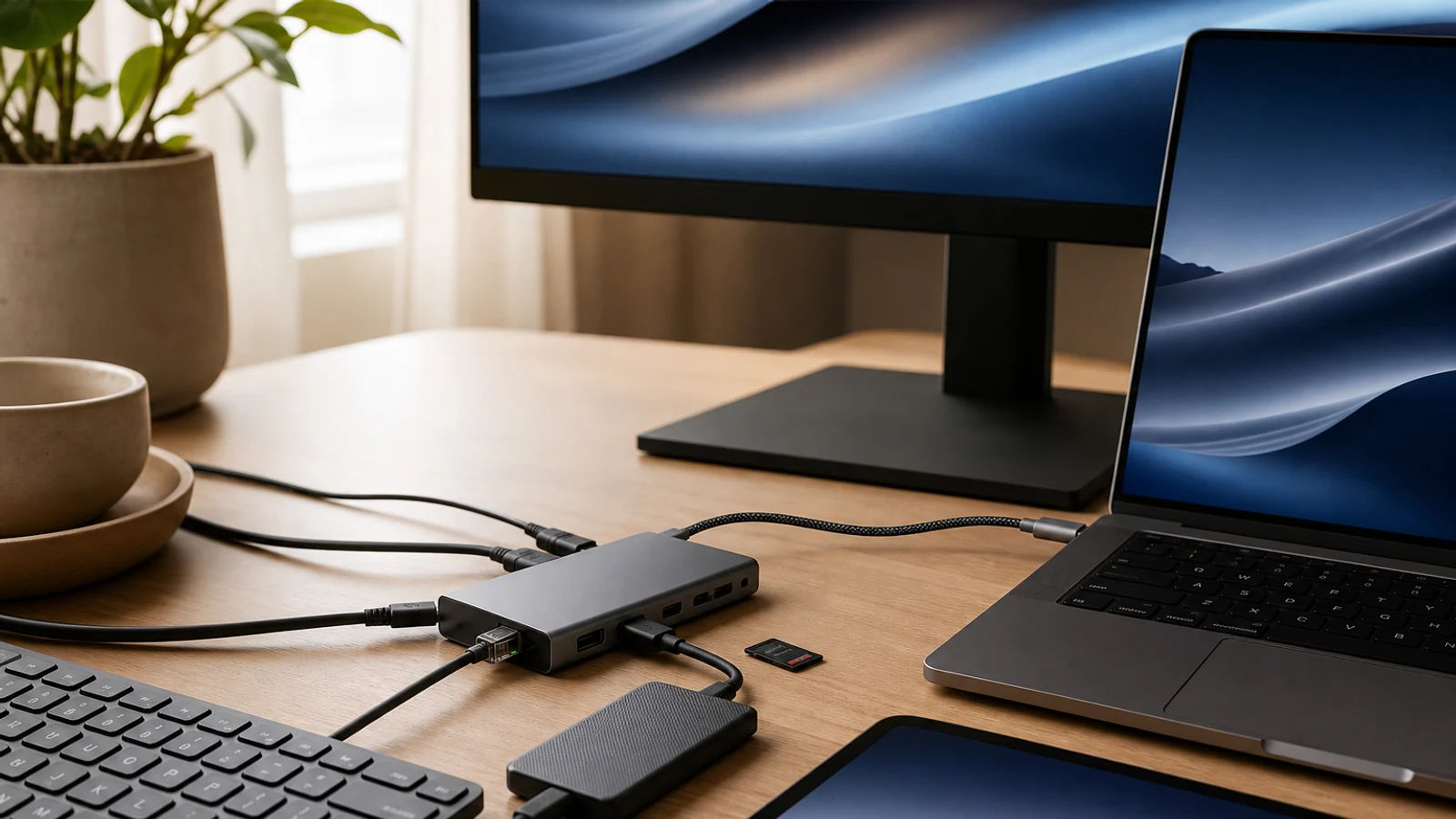
Compare options as you read
Explore options related to this guide. Check the exact product, seller, specifications and current price on Amazon. Image is illustrative.
As an Amazon Associate I earn from qualifying purchases.
4. Plugable USB-C 7-in-1 Hub — Best Value
Plugable's USB-C 7-in-1 Hub provides HDMI, three USB-A 5Gbps ports, SD and microSD readers and USB-C power input. The revised version supports up to 4K at 60Hz with a host that provides the required DisplayPort 1.4 Alt Mode bandwidth. It accepts up to 100W and passes up to 92W to the host.
Choose it for a monitor, older USB accessories and memory cards without paying for Ethernet or multiple USB-C data ports. There is no Ethernet, USB-C data port or included power adapter, and hardware revisions can affect 4K refresh-rate support.
- Best for: Budget-conscious users with USB-A accessories
- Why it stands out: Useful core ports and high charging passthrough
- Limitation: No Ethernet, USB-C data or included charger
5. Belkin USB-C 7-in-1 Multiport Hub — Best For Travel And Audio
Belkin's USB-C 7-in-1 Multiport Hub includes HDMI 2.0, two USB-A ports, USB-C power, SD and microSD readers and a 3.5mm audio input/output jack. It supports up to 4K at 60Hz and 5Gbps data transfer, while its slim aluminum design and tethered cable suit travel and shared workspaces.
The audio jack benefits travelers, presenters and tablet users who need wired headphones or a microphone. The trade-offs are no Ethernet, USB-C power passthrough rather than general data and slower 5Gbps connections than several alternatives.
- Best for: Travel, presentations and wired audio
- Why it stands out: Compact design with HDMI, dual card readers and audio
- Limitation: No Ethernet and slower 5Gbps data connections
6. Satechi USB-C Multiport Adapter 8K With Ethernet V3 — Best For High-Refresh Displays
The Satechi USB-C Multiport Adapter 8K With Ethernet V3 provides HDMI up to 8K at 30Hz or 4K at 120Hz on compatible Windows systems; macOS support is limited to 4K at 60Hz. It also includes three 10Gbps USB-C data ports, one 5Gbps USB-C data port, UHS-II SD, Gigabit Ethernet and USB-C power input.
It fits Windows users with high-refresh monitors or USB-C-heavy setups using external SSDs. The headline video modes require compatible hardware, displays and cables. There are no USB-A ports, and the charging port does not carry data or video.
- Best for: Windows users with 4K120 or high-refresh displays
- Why it stands out: 4K120 support on compatible Windows systems and multiple 10Gbps USB-C ports
- Limitation: No USB-A ports and reduced video support on macOS
7. EZQuest Pro Series USB4 Dual Display 8-in-1 Hub — Best For Dual Displays
The EZQuest Pro Series USB4 Dual Display 8-in-1 Hub has three USB4 ports that carry video and data, four additional 10Gbps USB-C ports and USB-C Power Delivery input. It supports one display up to 8K at 30Hz or dual 4K at 60Hz on compatible Windows, Linux, Android and ChromeOS systems. Mac support depends on the Apple silicon configuration.
Its detachable 19.6-inch USB4 cable suits monitor or under-desk placement, and its USB-C-heavy layout fits newer workstations. It lacks Ethernet, card readers, audio and USB-A, while its 77W host-charging ceiling is lower than some single-display hubs.
- Best for: Compatible dual-monitor workstations
- Why it stands out: Native dual 4K60 display support without DisplayLink software
- Limitation: USB-C-only design with no Ethernet, card readers, audio or USB-A
What To Look For In A USB-C Hub
Start with the host port. HDMI from a standard hub generally requires DisplayPort Alt Mode, USB4 or Thunderbolt; some USB-C ports provide only charging or data. Match data speeds to your accessories: 5Gbps suits basic peripherals, while 10Gbps is better for external SSDs and large transfers. UHS-II readers are useful for supported fast camera cards.
Charging passthrough can be misleading. A hub rated for 100W input usually delivers less to the laptop because it reserves power for itself and connected devices, and a charger is often sold separately. Also decide whether you need Ethernet, audio, card readers or a second display. For a permanent desk, a powered dock may be more suitable.
- Confirm DisplayPort Alt Mode or USB4 support before buying for video.
- Check whether USB-C ports are data ports or charging-only ports.
- Compare host charging output, not just 100W input.
- Choose UHS-II readers for faster supported camera cards.
- Consider a dock for multiple monitors, many peripherals or dedicated power.
Who Should Skip A USB-C Hub
A conventional hub may be unsuitable for several high-resolution displays, sustained high-speed storage across many ports or reliable charging for a demanding workstation. A Thunderbolt or USB4 dock can provide more bandwidth and a more stable desk setup, although it usually costs more and may require its own power adapter.
Skip any hub that does not explicitly list compatibility with your operating system and USB-C functions. This is especially important for tablets, phones, gaming handhelds and Macs. If your laptop already has enough ports and you rarely connect accessories, a hub may add clutter without solving a real problem.
Questions & Answers
Practical follow-up questions readers often ask before acting or buying.
Will any USB-C hub work with any laptop?
No. Basic USB data may work broadly, but HDMI output usually requires the laptop's USB-C port to support DisplayPort Alt Mode, USB4 or Thunderbolt. Charging passthrough also depends on the host supporting USB-C Power Delivery.
Can a USB-C hub charge a laptop?
Many hubs support USB-C Power Delivery passthrough, but the charger is often not included. A hub rated for 100W input may deliver less to the laptop after reserving power for the hub and connected accessories.
Do USB-C hubs support two monitors?
Some do, but not all. Most compact hubs support one display through HDMI. Dual-display models may require USB4, Thunderbolt, DisplayLink software or specific Windows and Mac hardware support.
Is 4K at 60Hz better than 4K at 30Hz?
For ordinary office work, both can display a 4K image, but 60Hz generally feels smoother for scrolling, video and cursor movement. Confirm that the host device, hub, monitor and cable all support the desired refresh rate.
Do USB-C hubs reduce SSD speed?
They can. Connected devices share the hub's available bandwidth, and a display may share bandwidth with USB data on some systems. A 10Gbps port is preferable for external SSDs, but actual speeds depend on the host and storage device.
Should I buy a hub or a docking station?
Choose a hub for portability and occasional expansion. Choose a docking station for a permanent desk with multiple displays, many peripherals, dedicated power or more consistent bandwidth.
Sources & Further Reading
Best USB-C Hub 2026: Dual Display, 240Hz, 100W Buying Guide - Anker US
Best USB-C hubs and dongles 2026: Budget, premium, docks, and more | PCWorld
9-in-1 USB-C Hub - Revodok Pro Multi-Port Adapter for Laptops – UGREEN US
Plugable 9-in-1 USB-C Hub with 4K HDMI, 140W Pass-Through Charging ~ Plugable Technologies
Find options for your needs
Explore options related to this guide. Check the exact product, seller, specifications and current price on Amazon. Image is illustrative.
As an Amazon Associate I earn from qualifying purchases.